Cars Overboard Official Links & Wiki Map
Jump to the live Roblox game, the group, and every major hub on this fan wiki.
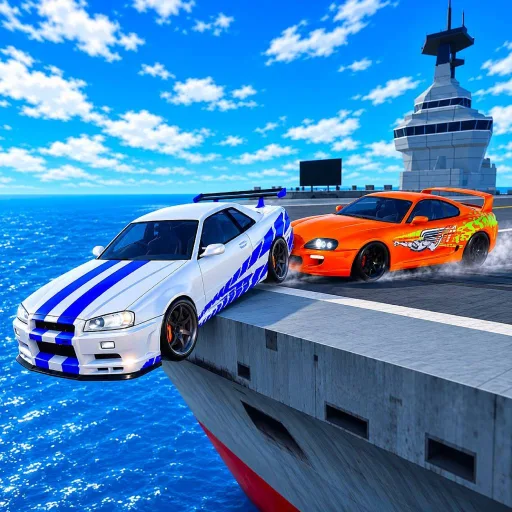
This Links Hub is the shortest path between the live Roblox experience and every major section of the Cars Overboard wiki. Bookmark it when you need the official play URL, the community group, or a clean map of codes, guides, tiers, and events without wandering the homepage modules.
Cars Overboard is a Roblox last-car-standing PvP game from the group Cars Overboard, released 2026-10-17. Drive on aircraft carriers and cargo ships, shove other cars into the ocean, and survive as the final vehicle on deck. Servers support up to 10 players. Progression flows through the Garage (cars, paints, wraps) and rewards like Coins, Revives, Wheel Spins, and Crates—often topped up by Like-milestone codes.
Official Roblox destinations
- Play Cars Overboard: Roblox experience page (placeId 110920665538163, universeId 10771570570)
- Official group: Cars Overboard community
Like and Favorite the experience when you join. Many promo codes—including 2000LIKES and 100LIKES“are framed around community Like milestones. Group membership helps you catch Admin Abuse weekends and patch chatter early.
This wiki is a fan-made guide site. It is not an official developer handbook. For authoritative announcements, prefer the Roblox page and group above.
Wiki map ” hubs
| Hub | What you get |
|---|---|
| Codes Hub | Active codes table, rewards, expiry notes |
| Guides Hub | Index of tutorials from onboarding to win tips |
| Tier List Hub | Ranking methodology for shove meta cars |
| Players Hub | Pusher / camper / controller mindsets |
| Updates Hub | Launch timeline, milestones, event tracking |
| Scripts Hub | Honest scarcity note + executor safety |
| Links Hub | This page ” official links + map |
Wiki map ” key subpages
Codes
- How to Redeem Codes ” Shop steps and troubleshooting
Guides
- Getting Started ” day-one Garage, matches, codes
- How to Win ” push angles, edges, Revives
- Controls ” driving, camera, Shop/Garage UI
- Maps ” aircraft carrier vs cargo ship
Tier list
- Best Cars ” S/A/B/C shove rankings
Updates
- Admin Abuse ” weekend chaos expectations
Move between sibling pages freely; each article cross-links related hubs so you are never stuck in a dead end.
Suggested reading orders
Brand new (first evening)
- Official play link above
- Getting Started
- How to Redeem Codes + Codes Hub
- Controls
- Two matches, then How to Win
Returning grinder (optimize wins)
- Updates Hub for new cars/events
- Best Cars + Tier List methodology
- Maps refresh
- Players Hub role swap drills
Event night
- Admin Abuse
- Redeem any live codes
- Bring a car you already control
- Play patient—chaos punishes greed
Safety and authenticity notes
- Redeem codes only in the in-game Shop box.
- Never give your password to —verification” sites or script keygates.
- Treat random loadstrings as hostile until proven otherwise; see Scripts.
- Prefer this wiki’s internal guides over screenshot guides that omit edge discipline.
Snapshot facts (for quick reference)
- Genre: last-car-standing vehicle PvP
- Platforms: Roblox
- Max players per server: 10
- Release: 2026-10-17
- Developer/group: Cars Overboard
- Growth snapshot: ~1.8M+ visits, ~3” k concurrent peaks, ~130k favorites, ~92% rating (community tracking during growth)
When stats move, the Roblox page remains the live counter; this page keeps the link handy.
Related hubs worth starring
If you only star four internal URLs besides this one, make them Codes, Guides, How to Win, and Updates and November 2026. Together they cover rewards, learning path, mechanical skill, and schedule awareness—the four levers that actually raise how often you are the last car on deck.
Welcome aboard. Keep your tires on steel, your Revives intentional, and your official links one click away.
Frequently Asked Questions
Quick answers about codes, cars, and ship PvP.
Is this Cars Overboard wiki official?
No. This is a fan-made wiki. For official announcements, use the Roblox experience page and the Cars Overboard group linked on this page.
Where do I play Cars Overboard?
Open the official Roblox experience at roblox.com/games/110920665538163/Cars-Overboard (also linked at the top of this hub).
Where is the official group?
Join the Cars Overboard community on Roblox at communities/547639819/Cars-Overboard for announcements and event pings.
What wiki pages should a new player open first?
Start with Getting Started, How to Redeem Codes, Controls, then How to Win. Use this Links Hub whenever you need the full map.
Does this page list every article?
It lists every major hub and the key subpages created for codes, guides, tier list, and updates. Hub pages add further context and FAQs.